mikrotik routeros (level5) initial config

mikrotik routeros quick gui (webfig v6.28) config for modem bridge pppoe

menu item > sub menu item [tab or button]


1. > system > identity
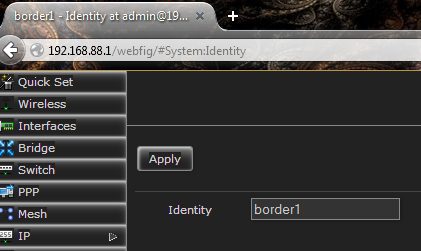
2015-05-21 18_30_52-border1 - Identity at admin@192.168.88.1 - Webfig v6.28 on RB2011UiAS (mips)

2. find two or more NTP servers (stratum time servers) close to you

http://support.ntp.org/bin/view/Servers/WebHome#Browsing_the_Lists

> system > clock
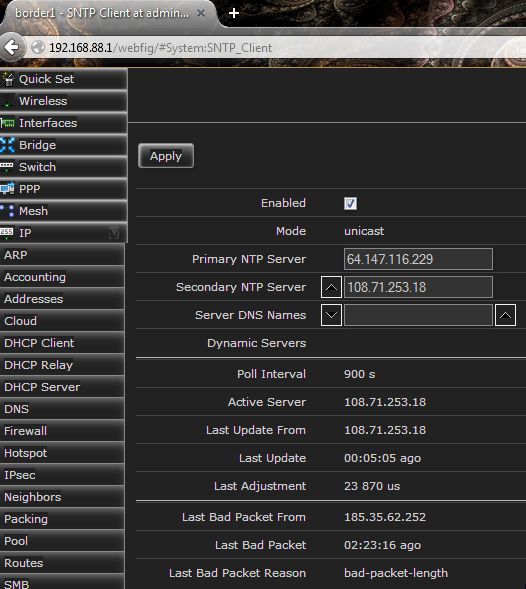
2015-05-21 19_10_28-border1 - SNTP Client at admin@192.168.88.1 - Webfig v6.28 on RB2011UiAS (mips)

3. create LAN switch ports (bridge)

standard install these will be your LAN side ether ports
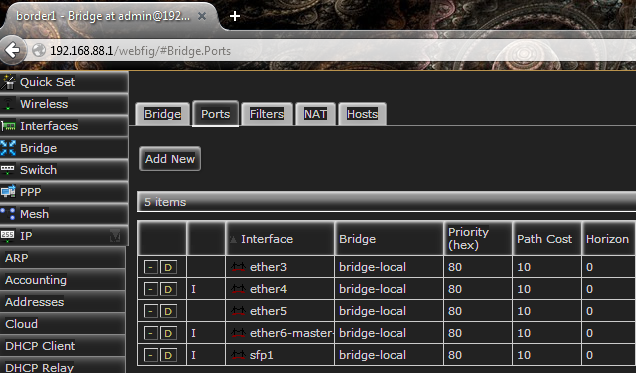
2015-05-21 18_24_43-border1 - Bridge at admin@192.168.88.1 - Webfig v6.28 on RB2011UiAS (mips)

4. DHCP pool. LAN pool (dhcp) and if needed, open vpn pool (ovpn-pool89)
> ip > pool > [add new]
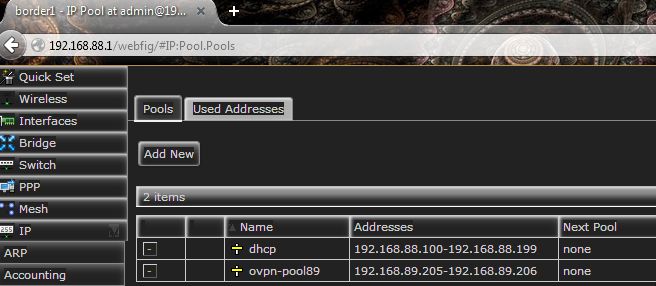
2015-05-21 21_28_02-border1 - IP Pool at admin@192.168.88.1 - Webfig v6.28 on RB2011UiAS (mips)

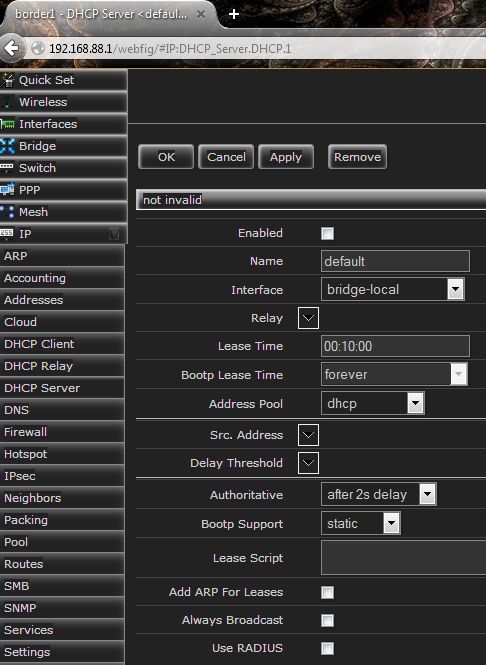
4.1 DHCP server

> ip > DHCP server

2015-05-21 22_00_53-border1 - DHCP Server _default_ at admin@192.168.88.1 - Webfig v6.28 on RB2011Ui

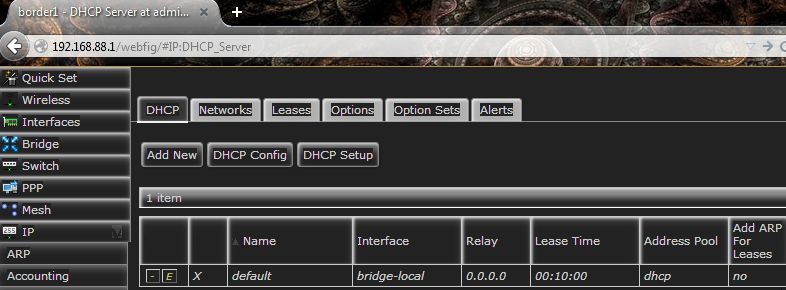
result …

2015-05-21 22_05_01-border1 - DHCP Server at admin@192.168.88.1 - Webfig v6.28 on RB2011UiAS (mips)

check netmask on [networks] tab

> ip > DHCP server > [networks]
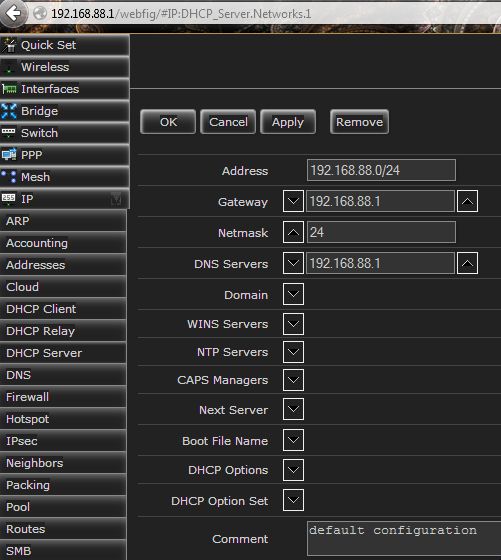
2015-05-24 13_25_50-border1 - DHCP Network _192.168.88.0_24_ at admin@192.168.88.1 - Webfig v6.28 on


5. add IP to interface (LAN and LAN DHCP pool to LAN ports (bridge-local))
> ip > addresses
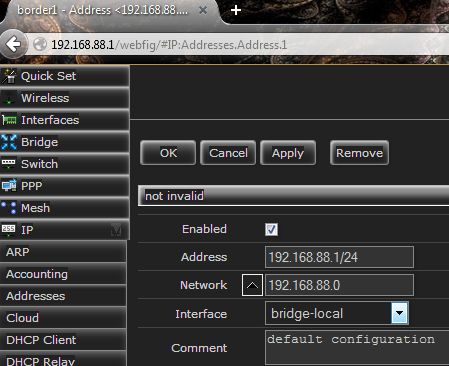
2015-05-21 22_14_07-border1 - Address _192.168.88.1_24_ at admin@192.168.88.1 - Webfig v6.28 on RB20

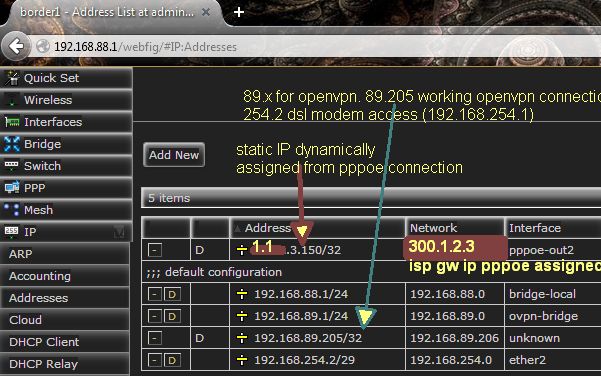
result

2015-05-21 22_20_58-border1 - Address List at admin@192.168.88.1 - Webfig v6.28 on RB2011UiAS (mips)

> ip > routes (no changes needed here for modem bridge pppoe setup. all dynamic)

1.1.3.146/32 gw bridge-local is used to assign a single static IP from WAN to computer on LAN network.
static route below, notice gw is bridge-local, ie LAN
proxy-arp on ether2 (wan pppoe)
windows pc eg.
1.1.3.146
255.255.255.255
gw. 192.168.88.1
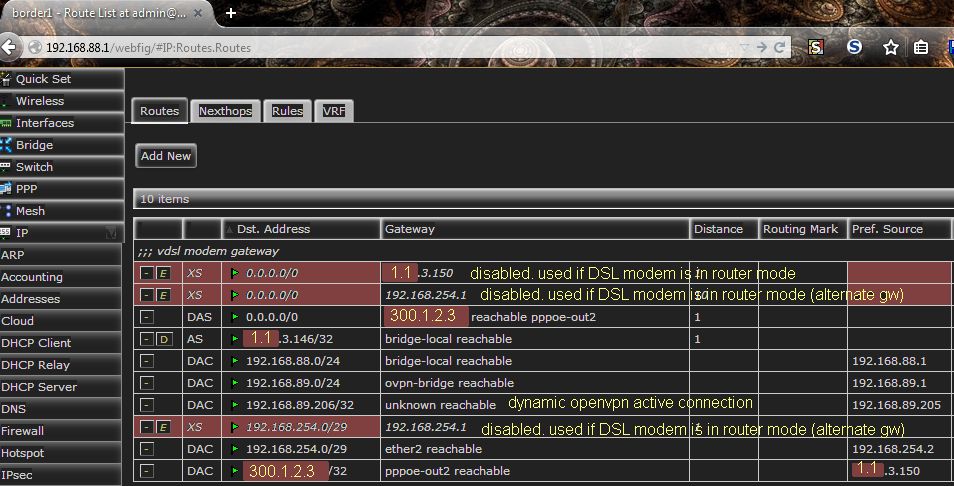
2015-05-21 22_54_13-border1 - Route List at admin@192.168.88.1 - Webfig v6.28 on RB2011UiAS (mips)

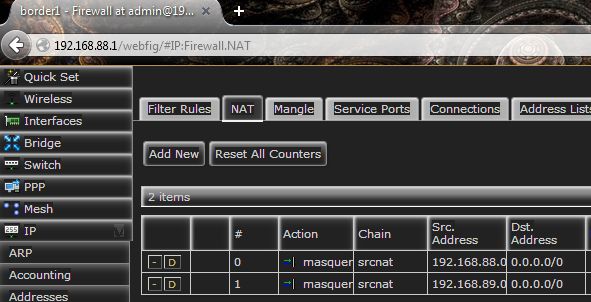
5.1 add NAT routes for above LAN IP’s and openvpn IP’s if required

> ip > firewall > [NAT]

[Add New]
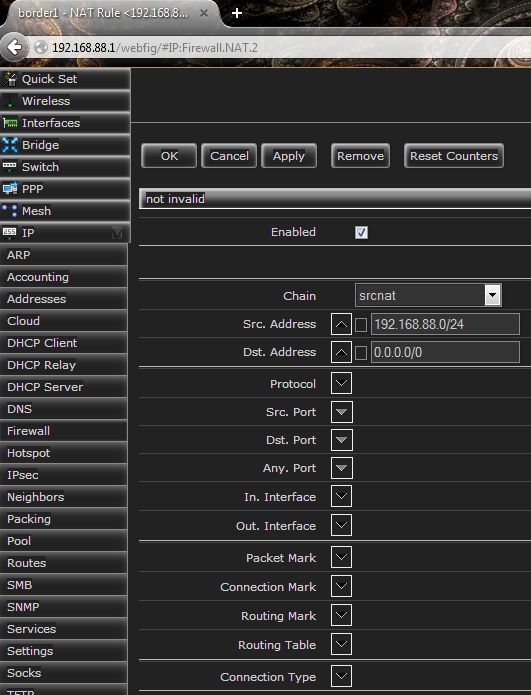
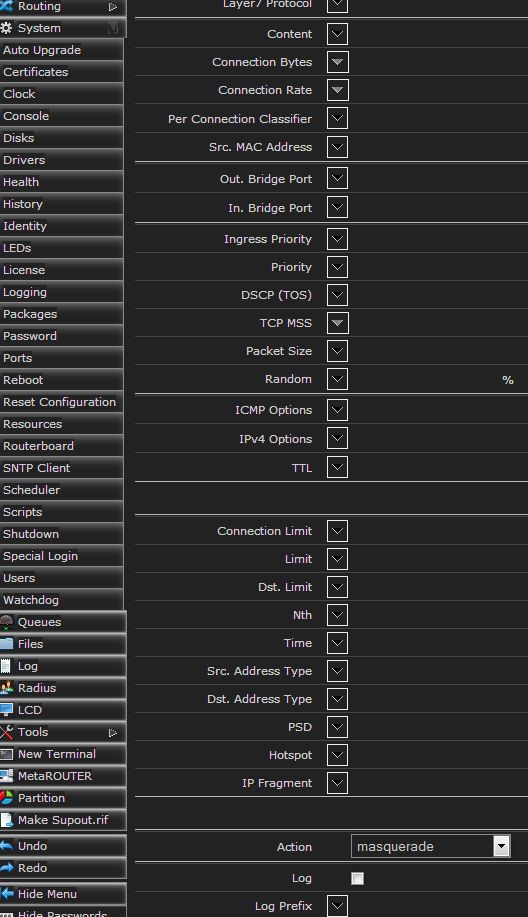
2015-05-21 23_20_35-border1 - NAT Rule _192.168.88.0_24-_0.0.0.0_0_ at admin@192.168.88.1 - Webfig v

2015-05-21 23_21_22-border1 - NAT Rule _192.168.88.0_24-_0.0.0.0_0_ at admin@192.168.88.1 - Webfig v

result

2015-05-21 23_15_24-border1 - Firewall at admin@192.168.88.1 - Webfig v6.28 on RB2011UiAS (mips)


6. create pppoe dialer for modem bridge mode
choosing ether2 for WAN (VDSL modem connection)
> PPP > interface > [add new]
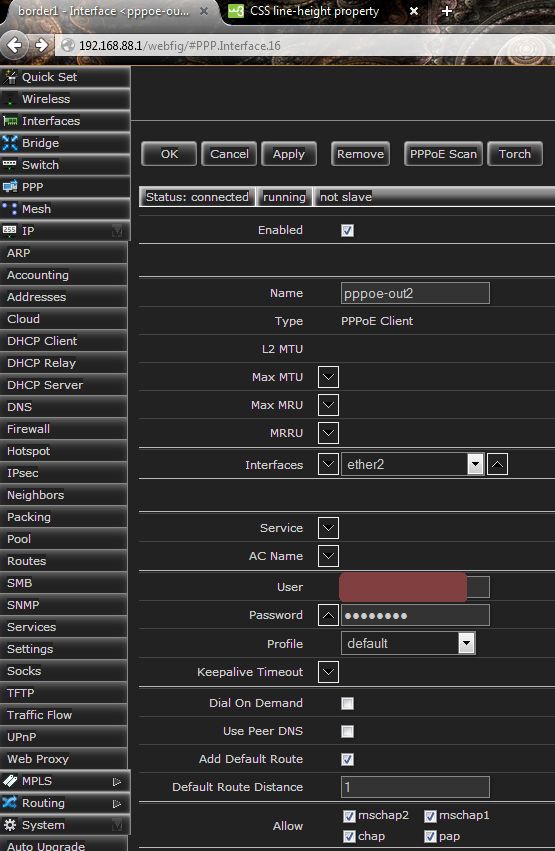
2015-05-21 18_42_08-border1 - Interface _pppoe-out2_ at admin@192.168.88.1 - Webfig v6.28 on RB2011U


6. Interfaces for reference only.

ovpn-in1 disabled. Used to apply firewall rules for single openvpn user. example. restrict access to a single pc. (openvpn article coming)
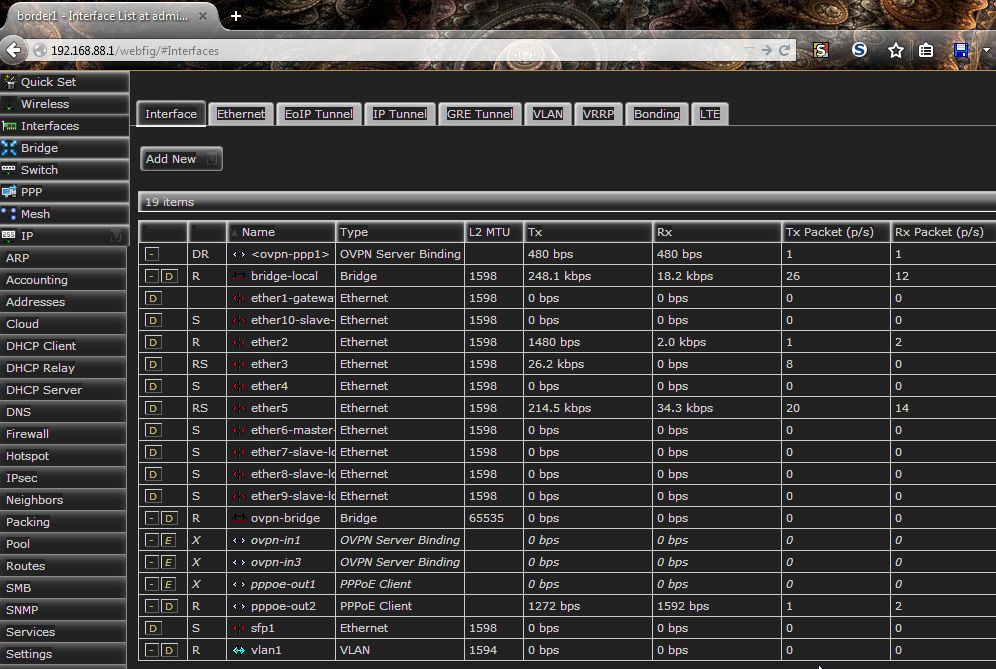
2015-05-21 23_35_41-border1 - Interface List at admin@192.168.88.1 - Webfig v6.28 on RB2011UiAS (mip